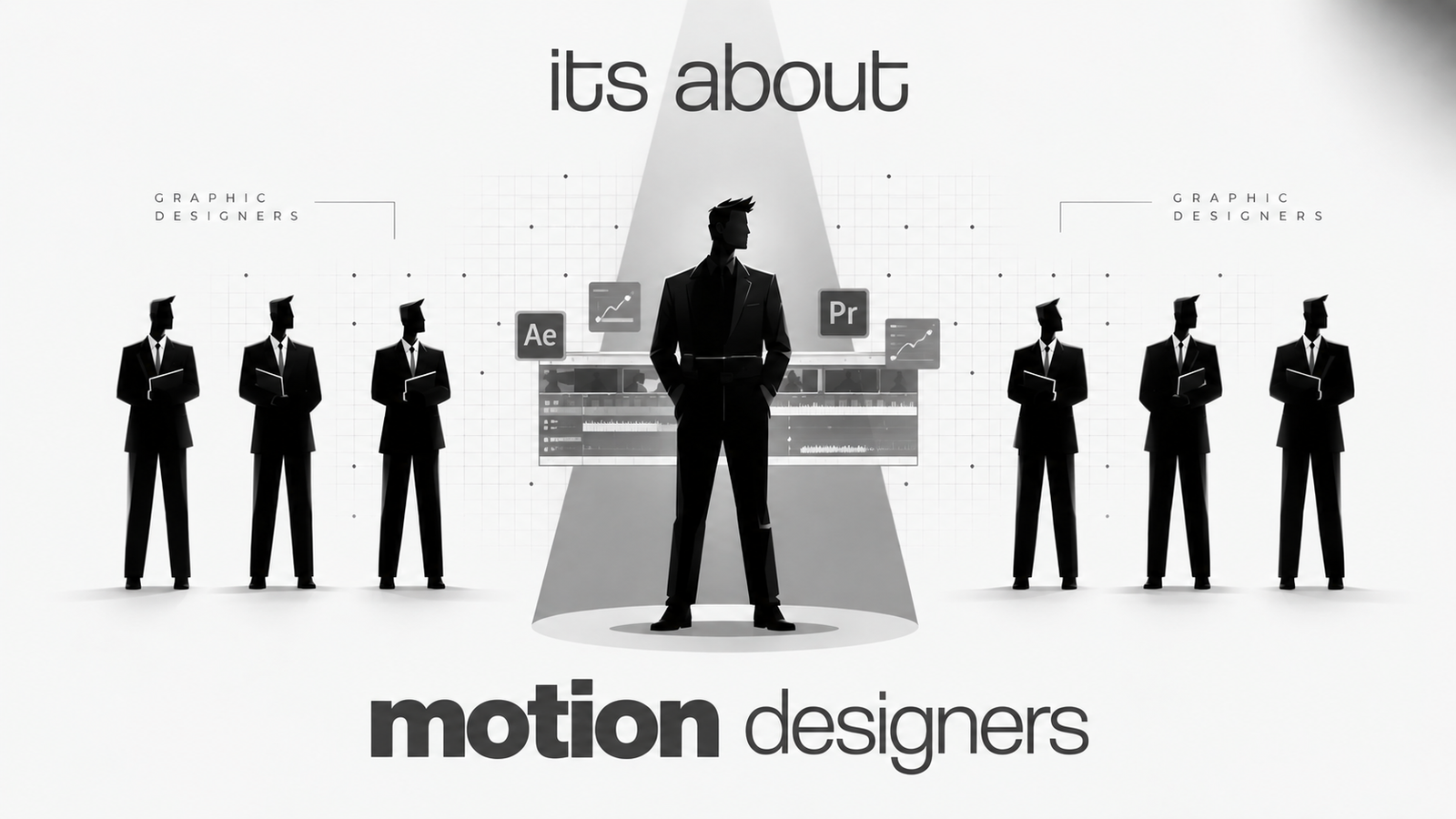
A beautifully designed poster can communicate a message in seconds. But on platforms such as Instagram, YouTube, websites, and digital advertising, audiences are increasingly interacting with content that moves, changes, responds, and tells a story over time.
This is where motion design is becoming an increasingly valuable part of modern graphic design.
From animated typography and logo reveals to social media reels and website interactions, designers are finding new ways to bring static visual elements to life. The goal is not to replace traditional design. Instead, motion design in graphic design adds another layer of communication, helping designers control attention, explain ideas, establish hierarchy, and create more engaging digital experiences.
For students, beginners, and working designers, learning motion design skills can therefore be a practical way to expand their creative toolkit.
Why Motion Design Matters in Modern Graphic Design
The way people consume digital content has changed significantly. Social platforms are filled with short videos, animated posts, stories, advertisements, product demonstrations, and interactive experiences.
In this environment, movement can help a visual communicate more than a single static frame.
Consider a promotional graphic for a new product.
A static design might show the product, headline, price, and call to action. A motion version could reveal each element sequentially, animate the product, highlight a key feature, and guide the viewer toward the call to action.
That difference demonstrates why motion graphics for social media have become useful for brands, creators, and marketers.
Movement can help:
- Direct the viewer’s attention
- Establish visual hierarchy
- Explain processes
- Add personality to branding
- Make information easier to follow
- Create stronger storytelling
- Turn static layouts into engaging content
This does not mean static design is outdated. Posters, packaging, print advertisements, thumbnails, brand identities, and many other formats still depend heavily on strong static design.
The difference is that modern designers increasingly need to understand when a visual should remain static and when adding movement can improve communication.
What Is Motion Design?
Motion design is the practice of creating movement using graphic elements such as typography, shapes, illustrations, photographs, icons, logos, and other visual assets.
In simple terms, it is graphic design that moves.
A designer might take a static title and animate it onto the screen. They might turn a logo into a short animated sequence or use moving shapes to explain how a product works.
This is commonly referred to as motion graphics design.
Difference Between Graphic Design and Motion Design
The difference between graphic design and motion design mainly comes down to how visual information is communicated.
Traditional graphic design primarily works within a static visual space. Designers use composition, typography, color, imagery, spacing, and hierarchy to communicate a message in one frame.
Motion design introduces time and movement into that visual system.
Instead of asking only:
“Where should this element be placed?”
A motion designer also considers:
- When should it appear?
- How should it move?
- How quickly should it move?
- What should the viewer notice first?
- How should one scene transition into another?
- When should the movement stop?
This makes time, rhythm, and sequencing important parts of visual communication.
How Motion Design Is Changing Graphic Design
The influence of motion design in graphic design can be seen across almost every digital platform.
1. Micro-Animations
Micro-animations are small movements designed to provide feedback, attract attention, or improve an interaction.
Examples include:
- A button changing when hovered over
- An icon moving when selected
- A loading animation
- A menu smoothly appearing
- A notification icon responding to interaction
These details may be small, but they can make digital interfaces feel more intuitive and responsive.
2. Animated Social Media Graphics
A static Instagram post can be transformed into an animated social media graphic by introducing movement to text, images, shapes, or transitions.
For example, a designer promoting a workshop could animate:
- The event title
- The date
- The speaker’s name
- Key benefits
- The registration call to action
This creates a visual sequence rather than presenting all the information at once.
3. Kinetic Typography
Kinetic typography involves animating text to create movement, emphasis, rhythm, or emotion.
It is commonly used in:
- Reels
- YouTube videos
- Advertisements
- Music videos
- Explainer videos
- Educational content
- Brand campaigns
A simple sentence can become much more expressive when individual words appear, scale, rotate, or move according to the narration.
4. Animated Logos
A logo does not always have to remain still.
Logo animation can introduce movement into a brand identity through techniques such as:
- Logo reveals
- Shape transformations
- Line animations
- Symbol movements
- Simple transitions
An animated logo can be used in video intros, social media content, presentations, websites, and digital advertisements.
5. Dynamic Branding
Brand identities are increasingly being designed to work across multiple digital formats.
This has created greater interest in dynamic branding, where visual elements can adapt, move, or change while maintaining a consistent brand identity.
For designers, this means thinking beyond a logo and color palette. They may also need to consider how a brand behaves in motion.
6. Motion Graphics for Advertisements
Digital advertisements compete for attention in crowded feeds.
Motion graphics can help communicate a product benefit, offer, feature, or message through movement and sequencing.
For example, an advertisement for a design course could introduce the course name first, reveal the tools being taught next, show project examples, and finish with a call to action.
The design becomes a visual story rather than a single promotional frame.
7. Social Media Motion Content
Short-form content has created more opportunities for designers to work with movement.
Social media motion graphics can be used for:
- Instagram Reels
- Animated posts
- YouTube Shorts
- Story graphics
- Promotional videos
- Product launches
- Educational content
- Event promotions
A designer who understands both static layouts and animation can adapt a visual concept for multiple formats.
8. Animated Presentations
Presentations can also benefit from motion.
Instead of displaying an entire slide at once, information can appear progressively. Charts, diagrams, icons, and key messages can be animated to guide the audience through the information.
Used carefully, animation can make a presentation easier to follow without becoming distracting.
9. Website Animations and UI Motion
Websites and applications use movement to communicate interactions.
Elements can fade, slide, expand, transform, or respond to user actions.
This is particularly relevant to designers working in digital products, where understanding basic motion can complement skills in interface and user experience design.
The Role of Adobe After Effects in Motion Design
One of the most widely used tools for professional motion work is Adobe After Effects.
For designers, Adobe After Effects provides a way to animate graphic elements and create visual sequences without needing to build everything from scratch.
It can be used for:
- Motion graphics
- Text animation
- Shape animation
- Logo animation
- Transitions
- Visual effects
- Social media content
- Animated titles
- Explainer video graphics
For someone exploring After Effects for beginners, the software may initially appear complex. However, beginners do not need to learn every feature immediately.
A practical approach is to start with simple text, shapes, position, scale, opacity, and timing. As confidence grows, designers can move toward more advanced animation and compositing techniques.
This is why Adobe After Effects for graphic designers can be a useful skill extension. Designers already familiar with composition, typography, and visual hierarchy have a strong foundation to build upon.
Why Graphic Designers Should Learn Motion Design
One of the most common questions among designers today is why graphic designers should learn motion graphics.
The answer is not that every designer needs to become a full-time animator.
Instead, motion can expand what a designer is capable of creating.
More Creative Possibilities
A designer who understands movement can take a static concept and explore how it behaves over time.
A poster can become a reel.
A logo can become an animated brand intro.
A social media graphic can become a short promotional sequence.
More Flexible Digital Content
Modern design projects often need multiple formats.
A campaign might require:
- Static posts
- Animated posts
- Short videos
- Digital advertisements
- Website assets
- Presentation graphics
Having motion design skills allows designers to work across more of these requirements.
Stronger Portfolios
A portfolio containing both static and motion projects can demonstrate a broader understanding of visual communication.
Instead of showing only finished posters or social media designs, designers can demonstrate how their ideas work through movement, timing, transitions, and storytelling.
Better Collaboration
Motion projects often involve designers, video editors, marketers, developers, copywriters, and creative directors.
Understanding basic animation concepts can make communication within these teams easier.
Static Design vs Motion Design
Static and motion design are not competing disciplines. They serve different communication purposes and can often work together.
Aspect
Static Design
Motion Design
Main format
Single visual frame
Sequence of moving frames
Time
No time-based sequence
Timing is an important design element
Strength
Clear, immediate visual communication
Storytelling and attention through movement
Common uses
Posters, print, thumbnails, packaging
Reels, advertisements, intros, explainers
Typography
Static hierarchy
Animated and kinetic typography
Branding
Logo and visual identity
Logo animation and dynamic branding
Interaction
Limited
Can respond to user actions
Best suited for
Information that can be understood in one frame
Messages that benefit from sequence or movement
The most versatile approach is often to understand both.
A strong static design can become the foundation for an effective motion graphic.
Examples of Motion Design in Everyday Digital Content
You may already interact with motion graphics every day without thinking about the design process behind them.
Instagram Reels
Text animations, transitions, animated icons, and graphic overlays can make educational, promotional, and entertainment content more engaging.
Animated Instagram Posts
Brands can transform carousel concepts or static promotional graphics into short animated sequences.
YouTube Intros
Animated titles and logo reveals can establish a visual identity at the beginning of videos.
Digital Advertisements
Motion can introduce products, highlight features, communicate offers, and guide viewers toward a call to action.
Animated Brand Logos
Companies can create short logo animations for videos, websites, presentations, and social platforms.
Product Promotions
Product images, typography, icons, and visual effects can be combined to create short promotional videos.
Explainer Videos
Motion graphics can simplify complex concepts by combining narration with animated diagrams, icons, text, and illustrations.
Website Interactions
Animations can help communicate navigation, loading states, transitions, and user interactions.
App Interfaces
UI motion can provide feedback when users tap, swipe, select, or complete an action.
These examples show how motion graphics are used in social media and across digital experiences more broadly.
Skills Designers Need to Start Learning Motion Design
Learning software is only one part of becoming a motion designer.
Strong graphic design skills remain important because animation cannot compensate for weak visual fundamentals.
Here are some of the best skills to learn for motion design:
Design Fundamentals
Understand composition, spacing, contrast, balance, alignment, and visual hierarchy.
Typography
Learn how type behaves as both a static element and a moving visual.
Timing and Rhythm
Movement needs appropriate timing. A transition that is too fast can feel rushed, while one that is too slow can lose attention.
Storytelling
Motion should have a purpose. Every movement should contribute to the message or experience.
Animation Principles
Learn concepts such as anticipation, easing, timing, spacing, and follow-through.
Visual Hierarchy
Know what the viewer should see first, second, and third.
Basic Video Editing
Understanding cuts, pacing, audio, aspect ratios, and sequences can help when creating motion content for digital platforms.
Adobe After Effects
Once the fundamentals are in place, learning Adobe After Effects can help designers turn concepts into professional motion graphics.
Creative Thinking
Perhaps most importantly, designers need to think about communication rather than simply adding effects.
Not every element needs to move.
Good motion design knows when to move, how to move, and when to stay still.
Career Opportunities in Motion Design
As digital content continues to use animation and video, designers can explore several creative roles.
Potential motion design career opportunities include:
- Motion Graphic Designer
- Motion Designer
- Graphic Designer with Motion Skills
- Video Editor
- Brand Motion Designer
- Social Media Designer
- Visual Designer
The exact responsibilities vary between companies and projects. Some roles focus heavily on animation, while others combine graphic design, video editing, branding, and digital content creation.
For aspiring designers, developing a combination of design fundamentals, animation, editing, and digital communication can create a broader professional skill set.
How Beginners Can Start Learning Motion Design
If you are wondering how to learn motion design, avoid trying to master everything at once.
A simple roadmap can make the process more manageable.
Step 1: Strengthen Graphic Design Fundamentals
Start with typography, composition, color, hierarchy, and layout.
Step 2: Learn Basic Animation Principles
Understand timing, easing, spacing, anticipation, and movement.
Step 3: Start With Simple Animations
Animate basic text, shapes, icons, and logos before attempting complex projects.
Step 4: Learn Adobe After Effects
Explore the basic tools and gradually become comfortable with the interface and animation workflow.
Step 5: Recreate Simple Motion References
Choose simple animations you admire and recreate them for practice. The purpose is to understand how movement works, not to copy work for commercial use.
Step 6: Create Social Media Projects
Practice making:
- Animated Instagram posts
- Short promotional graphics
- Kinetic typography videos
- Logo animations
- Social media advertisements
This helps you apply animation to realistic design requirements.
Step 7: Build a Motion Design Portfolio
Show the process as well as the final result when possible.
Include a mixture of:
- Typography animation
- Logo animation
- Social media motion graphics
- Explainer graphics
- Branding projects
- Short-form motion content
Step 8: Gradually Move Toward Advanced Projects
Once you are comfortable with fundamentals, explore more complex transitions, visual effects, storytelling, compositing, and brand animation.
For students looking for structured guidance, a motion design course or motion graphics course can provide a more organized learning path. At Yogi Arts Design School, students can explore design and motion-related skills through practical, project-based learning.
How to Become a Motion Graphic Designer
If your goal is how to become a motion graphic designer, focus on building skills rather than simply collecting software certificates.
A strong starting combination includes:
Graphic design + animation principles + typography + storytelling + video editing + Adobe After Effects + portfolio development
Your portfolio should demonstrate that you can solve visual communication problems, not simply add animation effects.
For example, instead of showing ten random transitions, create a complete project such as a product advertisement, brand animation, explainer sequence, or social media campaign.
That gives potential employers or clients a better understanding of how you think as a designer.
Motion Design Is an Evolution, Not a Replacement
The rise of motion graphics design does not mean that static graphic design is disappearing.
Static design remains essential.
A strong poster still needs good typography. A logo still needs a clear identity. A social media thumbnail still needs effective composition. A brand still needs a consistent visual system.
Motion adds another dimension.
The modern designer may need to think about how an idea looks, how it moves, how quickly it appears, and how it behaves across different digital environments.
That is the real shift happening in motion design in graphic design.
Design is no longer limited to a single frame.
Frequently Asked Questions
What is motion design?
Motion design is the use of animation and movement to communicate ideas through graphic elements such as typography, shapes, illustrations, logos, and images.
Is motion design replacing graphic design?
No. Motion design is expanding the capabilities of graphic design rather than completely replacing static design. Both are useful for different communication needs.
Why should graphic designers learn motion graphics?
Learning motion graphics can help graphic designers create more dynamic digital content, expand their portfolios, work across more platforms, and develop additional creative skills.
What is Adobe After Effects used for?
Adobe After Effects is used to create motion graphics, animated typography, logo animations, transitions, visual effects, titles, and other animated content.
Is motion design difficult for beginners?
Motion design can seem challenging at first, but beginners can start with basic typography, shapes, timing, and simple animations before progressing to more advanced projects.
What is the difference between graphic design and motion design?
The main difference between graphic design and motion design is that graphic design generally communicates through static visuals, while motion design introduces movement, timing, and sequencing.
What career opportunities are available in motion design?
Motion design career opportunities include roles such as motion graphic designer, motion designer, video editor, brand motion designer, social media designer, visual designer, and graphic designer with motion skills.
Conclusion: The Future of Design Has Movement
The future of digital design is not about choosing between static and motion.
It is about understanding when each approach works best.
A designer who can create a strong static composition and then transform that concept into a thoughtful animation has more ways to communicate an idea.
For students and professionals, learning motion design, motion graphics, and Adobe After Effects can therefore be a valuable extension of existing graphic design skills.
The goal is not to make everything move.
The goal is to make movement meaningful.
As brands, creators, websites, advertisements, and digital platforms continue to use richer visual experiences, designers who understand both static design and motion can approach creative problems from a broader perspective.
If you are ready to learn motion design and build practical skills for today’s digital content environment, developing a strong foundation in design first and then progressing into animation can be a smart place to start.