

For years, starting a career in graphic design meant learning software, creating social media posts, editing images, making presentations, designing banners and gradually taking on more complex creative work.
Today, that career path is changing.
Generative AI can create images from prompts, remove backgrounds, resize designs, generate variations, suggest layouts, produce visual concepts and speed up many repetitive production tasks. As AI in graphic design becomes more accessible, companies can potentially accomplish certain design tasks faster with smaller teams.
This has created an important question for students, freshers and aspiring designers:
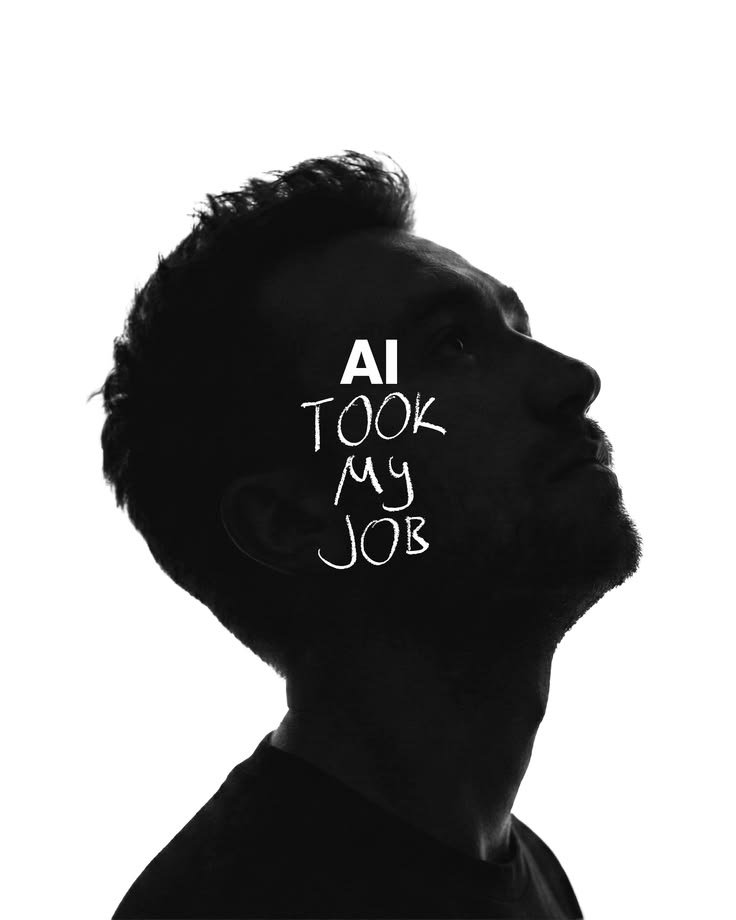
Will AI replace entry-level graphic designers?
The answer is more complicated than a simple yes or no.
AI is unlikely to make every designer unnecessary overnight. However, it can change what companies expect from a junior designer. The beginner whose primary value is producing repetitive visual assets may face more competition from automation. The beginner who understands design fundamentals, communicates ideas, solves visual problems, develops concepts and knows how to use AI effectively may have a very different career path.
The real issue is not simply AI replacing graphic designers.
It is how AI and design jobs will evolve together.
AI Is Changing Graphic Design Careers
The impact of AI on creative work is already visible.
Modern AI design tools can assist with image generation, editing, ideation, content variations and production workflows. Adobe, for example, describes generative AI as a way to accelerate ideation, exploration and production while allowing creative professionals to focus on strategic and creative work.
This means how AI is changing graphic design is not limited to one particular software or job title.
Instead, AI is changing the workflow itself.
A traditional design process might look like:
Brief → Research → Concept → Design → Revisions → Final Assets
An AI-assisted workflow may look more like:
Brief → Research → AI-assisted exploration → Human concept development → Design → AI-assisted production → Human refinement → Final Assets
The designer is still involved, but the amount of manual production can decrease.
This distinction is important because AI automation in graphic design does not necessarily mean complete job automation.
AI can automate parts of a job without completely replacing the person performing that job.
Why Entry-Level Designers May Be More Exposed
The biggest change could happen at the beginning of the career ladder.
Why?
Because many entry-level graphic design jobs involve tasks that are relatively structured, repetitive and production-heavy.
A junior designer might be asked to:
- Create multiple social media post variations
- Resize a campaign for different platforms
- Remove backgrounds from product photographs
- Make simple promotional banners
- Adapt an existing template
- Change text and images in established layouts
- Create basic thumbnails
- Produce simple presentation graphics
- Make repetitive image edits
- Prepare different versions of the same campaign
These tasks are not necessarily unimportant. They are often how beginners gain experience.
But they are also the types of activities that software and generative AI in graphic design can increasingly accelerate.
If AI performs more production work, beginners may have fewer opportunities to differentiate themselves simply by being fast at software.
What Can AI Automate in Graphic Design?
AI is particularly useful when the task is repetitive, predictable or variation-heavy.
1. Basic Image Editing
AI-powered tools can help with:
- Background removal
- Object removal
- Image expansion
- Image cleanup
- Object replacement
- Basic retouching
- Image enhancement
These capabilities can reduce the time required for routine editing.
2. Social Media Design Variations
Imagine a brand needs one campaign adapted into:
- Instagram posts
- Stories
- LinkedIn graphics
- YouTube thumbnails
- Display banners
- Multiple size formats
AI-assisted workflows can help generate or adapt variations much faster than traditional manual processes.
3. Template-Based Designs
When a design already has an established visual system, AI can assist with repetitive adaptations.
For example:
Original: Festival campaign design
Variations:Festival offerFestival reminderLast-day offerWeekend promotionStory versionBanner version
The human designer may establish the visual direction, while AI can help accelerate production.
4. Image Generation and Concept Exploration
Generative AI can produce visual concepts from text prompts.
A designer can explore different:
- Visual styles
- Compositions
- Backgrounds
- Lighting directions
- Product environments
- Illustration concepts
- Mood references
This can make experimentation faster.
5. Production Assistance
AI can also assist with repetitive parts of a workflow, allowing designers to spend more time reviewing, refining and making creative decisions.
The result is not necessarily a world without designers.
It can be a world where designers spend less time performing repetitive production work.
What AI Still Needs Human Designers For
This is where the conversation becomes more interesting.
A design is not successful simply because it looks attractive.
A successful design communicates something to someone for a reason.
That requires understanding.
1. Understanding the Problem
Suppose a company says:
“We need an Instagram campaign.”
AI can generate hundreds of visual options.
But what should the campaign communicate?
Who is the audience?
What action should the audience take?
What emotion should the design create?
What differentiates the brand?
What information needs to be noticed first?
These are design problems, not merely software problems.
2. Design Fundamentals
AI can generate visual output, but designers still need to understand why a design works.
Important graphic design skills include:
- Typography
- Color theory
- Composition
- Hierarchy
- Grid systems
- Spacing
- Contrast
- Balance
- Alignment
- Proportion
- Visual rhythm
These fundamentals help designers evaluate AI-generated output instead of blindly accepting it.
If an AI tool generates ten layouts, someone still needs to determine which one communicates the message most effectively.
That requires design principles.
Design Software Knowledge Is Not the Same as Design Thinking
This may become one of the biggest differences between designers who struggle with AI and designers who benefit from it.
Knowing Photoshop does not automatically make someone a strong designer.
Knowing Figma does not automatically mean someone understands user needs.
Knowing Illustrator does not automatically mean someone can develop a strong visual concept.
Software is a tool.
Design thinking is the ability to understand a problem, explore possibilities, make decisions and create an appropriate solution.
Consider two beginners.
Designer A
Knows several software applications but mainly follows tutorials and templates.
Designer B
Knows the same software but can explain:
- Why a particular typeface was selected
- Why one visual hierarchy works better
- Why a particular color palette suits the audience
- Why certain information should appear first
- Why a layout supports the communication objective
- How the design could be adapted across platforms
Designer B is demonstrating something beyond software knowledge.
They are demonstrating creative thinking in graphic design.
That distinction becomes even more valuable when AI can help produce visual output quickly.
Human Creativity vs AI: What Actually Matters?
The discussion around human creativity vs AI is often presented as a competition.
But designers may benefit more from treating AI as a collaborator rather than an opponent.
AI can help generate possibilities.
Humans decide which possibilities matter.
AI can produce variations.
Humans evaluate context.
AI can generate an image.
Humans decide whether that image communicates the intended message.
AI can accelerate production.
Humans remain responsible for the creative direction.
This is why human creativity in graphic design still matters.
Creativity is not simply the ability to make something visually interesting.
It involves connecting information, understanding people, interpreting a brief, making choices and communicating an idea.
Why Visual Communication Is Becoming More Important
Graphic design is fundamentally about communication.
A designer may be working on:
- A brand identity
- An advertising campaign
- A product launch
- A social media campaign
- An editorial layout
- A presentation
- Packaging
- A website
- An app interface
The objective is not simply to “make it look good.”
The objective is to communicate.
Strong visual communication requires understanding how people perceive information.
A designer needs to decide:
What should the viewer notice first?
What should they understand next?
What action should they take?
AI can assist with execution, but designers need the ability to make these communication decisions.
The New Advantage: AI Literacy + Design Skills
The future may not belong to designers who reject AI.
It may belong to designers who understand how to use it without depending on it for every creative decision.
AI skills for designers can include:
- Writing effective prompts
- Generating visual references
- Exploring concepts with AI
- Using AI-powered image editing
- Creating multiple design directions
- Using AI for research and ideation
- Refining AI-generated visuals
- Checking AI output for errors
- Combining AI output with traditional design workflows
- Understanding responsible and ethical AI use
The important point is that AI should enhance design ability rather than replace design understanding.
A designer who knows why a composition works can use AI more effectively than someone who simply asks AI to “make a nice poster.”
The Future of Graphic Design Jobs Is About Skill Combination
The future of graphic design may be less about choosing between “human” and “AI.”
Instead, it may involve combining multiple capabilities.
Think of the evolving designer as:
Design fundamentals + Creative thinking + Technology + AI + Communication + Strategy
A designer who can develop a concept, build a visual system, use AI for exploration, communicate with a client and deliver production-ready assets offers more than someone who simply operates software.
What Skills Should Beginners Develop?
If you are preparing for junior graphic designer jobs, learning more software is useful, but it should not be your only goal.
Here are some of the most important areas to develop.
1. Master Design Fundamentals
Learn:
- Typography
- Color
- Composition
- Layout
- Hierarchy
- Grids
- Branding fundamentals
- Visual balance
These skills remain relevant regardless of which software or AI tool becomes popular.
2. Develop Creative Problem-Solving
Don’t just ask:
“How do I make this design?”
Ask:
“What problem is this design solving?”
That shift can transform the way you approach projects.
3. Learn to Explain Your Decisions
A strong designer should be able to explain the thinking behind a design.
Instead of:
“I chose blue because it looks professional.”
Try:
“I selected this color direction to create a sense of trust and maintain consistency with the brand’s existing identity.”
Communication matters.
4. Build AI Literacy
Learn how AI can assist your workflow.
But don’t outsource your entire creative process to AI.
Use it for:
- Brainstorming
- Reference generation
- Mood exploration
- Variations
- Image editing
- Production assistance
- Research support
Then apply your own judgment.
5. Build a Strong Portfolio
A graphic design portfolio is one of the clearest ways to demonstrate your capabilities.
Show your thinking.
For each project, consider explaining:
Problem → Research → Concept → Design Decisions → Final Solution
That tells recruiters that you can solve problems rather than simply operate software.
What Recruiters May Expect From Junior Designers
As AI changes production workflows, recruiters may increasingly look for evidence that a candidate can contribute beyond basic execution.
Important skills for graphic designers can include:
Technical Skills
- Photoshop
- Illustrator
- InDesign
- Figma
- Motion and video basics
- AI-assisted design workflows
Design Skills
- Typography
- Layout
- Branding
- Color theory
- Composition
- Visual hierarchy
Professional Skills
- Communication
- Collaboration
- Time management
- Receiving feedback
- Presenting ideas
- Understanding briefs
Strategic Skills
- Problem-solving
- Audience understanding
- Brand thinking
- Campaign thinking
- Design rationale
Future-Focused Skills
- AI literacy
- Adaptability
- Continuous learning
- Experimentation
This is why design thinking can become just as important as software proficiency.
How to Future-Proof Your Graphic Design Career
No career can be made completely future-proof.
But you can make yourself more adaptable.
Here is a practical checklist for anyone starting a graphic design career.
Future-Proof Graphic Design Checklist
✅Learn design fundamentals
Don’t skip typography, composition, color and hierarchy.
✅Learn professional design software
Understand the tools used in real-world workflows.
✅Learn AI design tools
Understand how AI can improve speed and experimentation.
✅Develop creative thinking
Practice generating concepts rather than copying references.
✅Learn visual communication
Understand how design influences attention and understanding.
✅Build real projects
Work on briefs that resemble actual client or business problems.
✅Build a portfolio
Show process, thinking and outcomes, not only final images.
✅Learn to present your work
Be able to explain your design decisions clearly.
✅Develop problem-solving skills
Practice turning vague requirements into visual solutions.
✅Keep learning
AI tools, software and workflows will continue to change.
The goal is not to predict every technology that will exist.
The goal is to become the kind of designer who can adapt to new technology.
Should Beginners Be Worried About AI?
Concern is understandable.
The way designers work is changing, and AI is becoming a bigger part of everyday creative workflows. For beginners, this can naturally raise questions about career opportunities and job security.
However, AI does not necessarily mean that graphic design careers will disappear.
The bigger change is likely to be in the type of work designers are expected to do. As AI becomes better at handling repetitive production tasks, beginners may need to bring more than basic software knowledge to the table.
Instead of competing with AI on tasks such as resizing designs, removing backgrounds or creating simple variations, aspiring designers can focus on developing skills that require human judgment and creative thinking.
These include:
- Strong design fundamentals
- Creative problem-solving
- Visual communication
- Concept development
- Understanding the target audience
- Design thinking
- Storytelling
- Brand understanding
- Effective communication
- AI-assisted design skills
The more useful question for a beginner is therefore not:
“Will AI take my job?”
A better question is:
“What can I learn that makes me valuable when AI can already handle the repetitive parts?”
That shift in mindset can help aspiring designers prepare for the changing future of graphic design jobs.
AI may change the entry-level design role, but designers who understand design thinking, develop strong creative skills and learn how to use AI effectively can continue to create value beyond basic production work.
How Graphic Design Courses Need to Evolve
A modern graphic design course cannot focus only on teaching software.
Software changes.
Interfaces change.
AI capabilities change.
But design fundamentals remain foundational.
A strong modern learning path should combine:
- Design Fundamentals
- Creative Thinking
- Practical Projects
- Portfolio Development
- Professional Communication
- AI-Assisted Design
- Industry-Relevant Software
This approach helps students understand both the craft and the technology.
The objective should not be to create someone who can simply reproduce a tutorial.
It should be to develop someone who can receive a brief, understand a problem, generate ideas, make informed design decisions, use appropriate tools and communicate a final solution.
What This Means for Aspiring Designers in 2026
If you are thinking about whether to learn graphic design in 2026, AI should not automatically be a reason to abandon the field.
Instead, it should change how you prepare for the field.
Don’t aim to become the fastest person at removing backgrounds.
Aim to become the person who knows why the image needs to be used, how it should be presented and what the audience should understand from it.
Don’t aim to create the most templates.
Learn how to develop a visual system.
Don’t only learn how to operate Photoshop.
Learn why a composition works.
Don’t only generate AI images.
Learn how to turn an idea into a coherent visual communication system.
And don’t build a portfolio filled with random attractive designs.
Build projects that demonstrate your ability to solve problems.
That is where the difference between a software operator and a designer becomes clear.
How Yogi Arts Design School Approaches the AI Era
At Yogi Arts Design School (YADS), the changing role of technology makes one principle especially important: learning design should go beyond learning software.
For aspiring designers, developing design fundamentals, creative thinking, practical design skills and portfolio-building ability provides a foundation that can remain valuable even as tools evolve.
AI-assisted design can then become another capability in the designer’s toolkit.
The objective is not to teach students to compete against AI.
It is to help them understand how to work with modern tools while developing the judgment, creativity and problem-solving ability needed to use those tools effectively.
For someone beginning a graphic design career in 2026, that combination can be far more useful than simply collecting software skills.
The future designer may not be the person who creates everything manually.
The future designer may be the person who knows:
What to create.
Why to create it.
How to communicate it.
Which tools to use.
How to improve the result.
And when human judgment matters most.
Conclusion: AI May Change the Entry-Level Designer, Not End Design
So, will AI replace entry-level design jobs?
Some entry-level production tasks are likely to become increasingly automated. Repetitive resizing, basic editing, template adaptation and other production activities can already be accelerated by AI.
But that is different from saying that human designers will no longer be needed.
The bigger shift may be in what employers expect from beginners.
A junior designer may increasingly need to arrive with more than software knowledge.
They may need design fundamentals, creative thinking, visual communication, problem-solving, portfolio skills and AI literacy.
In other words, the entry-level designer of the future may have to be less of a production executor and more of a creative problem-solver.
AI can generate.
AI can automate.
AI can accelerate.
But designers still need to decide what is worth creating, who it is for and why it works.
That is why the future of design may not belong to people who compete with AI at being machines.
It may belong to people who learn how to combine human creativity + design expertise + AI skills + strategic thinking.
The question is no longer simply whether AI will change graphic design.
It already is.
The real question is:
Are you developing the skills that become more valuable when the tools become more powerful?
Frequently Asked Questions About AI and Graphic Design
Will AI replace entry-level graphic designers?
AI may automate some repetitive tasks traditionally assigned to junior designers, including basic editing, resizing, variations and template-based production. However, design roles also require problem-solving, communication, creative direction and visual judgment. The likely impact is a change in responsibilities rather than a simple disappearance of every entry-level role.
Will AI take away graphic design jobs?
AI can reduce the amount of time required for certain graphic design tasks and may reduce demand for some production-focused work. However, current labor projections do not indicate that graphic design as an occupation is disappearing entirely. The U.S. Bureau of Labor Statistics projects a 2% employment decline for graphic designers from 2025 to 2035 while still projecting approximately 16,000 openings per year on average.
Is graphic design still a good career in 2026?
Graphic design remains a field with opportunities, but the skills required are evolving. Beginners can improve their prospects by combining design fundamentals, software knowledge, creative problem-solving, portfolio development and AI literacy rather than relying only on production skills.
What skills should graphic designers learn because of AI?
Important future-proof graphic design skills include design fundamentals, creative thinking, visual communication, problem-solving, typography, branding, portfolio development, communication and AI literacy. Learning how to use AI tools for graphic designers can also improve ideation and productivity.
Can AI replace human creativity in graphic design?
AI can generate creative-looking outputs, but graphic design also involves understanding a brief, audience, context, brand objectives and communication goals. Human designers remain responsible for evaluating ideas and deciding whether a visual solution actually solves the problem.
How can graphic designers stay relevant in the age of AI?
Designers can stay adaptable by strengthening fundamentals, developing strategic thinking, learning AI tools, building strong portfolios, improving communication skills and continuously learning new technologies.
Should beginners learn AI tools for graphic design?
Yes. Beginners can benefit from understanding AI design tools because AI is increasingly becoming part of creative workflows. However, AI should complement design education rather than replace the learning of typography, composition, color, hierarchy, branding and visual communication.